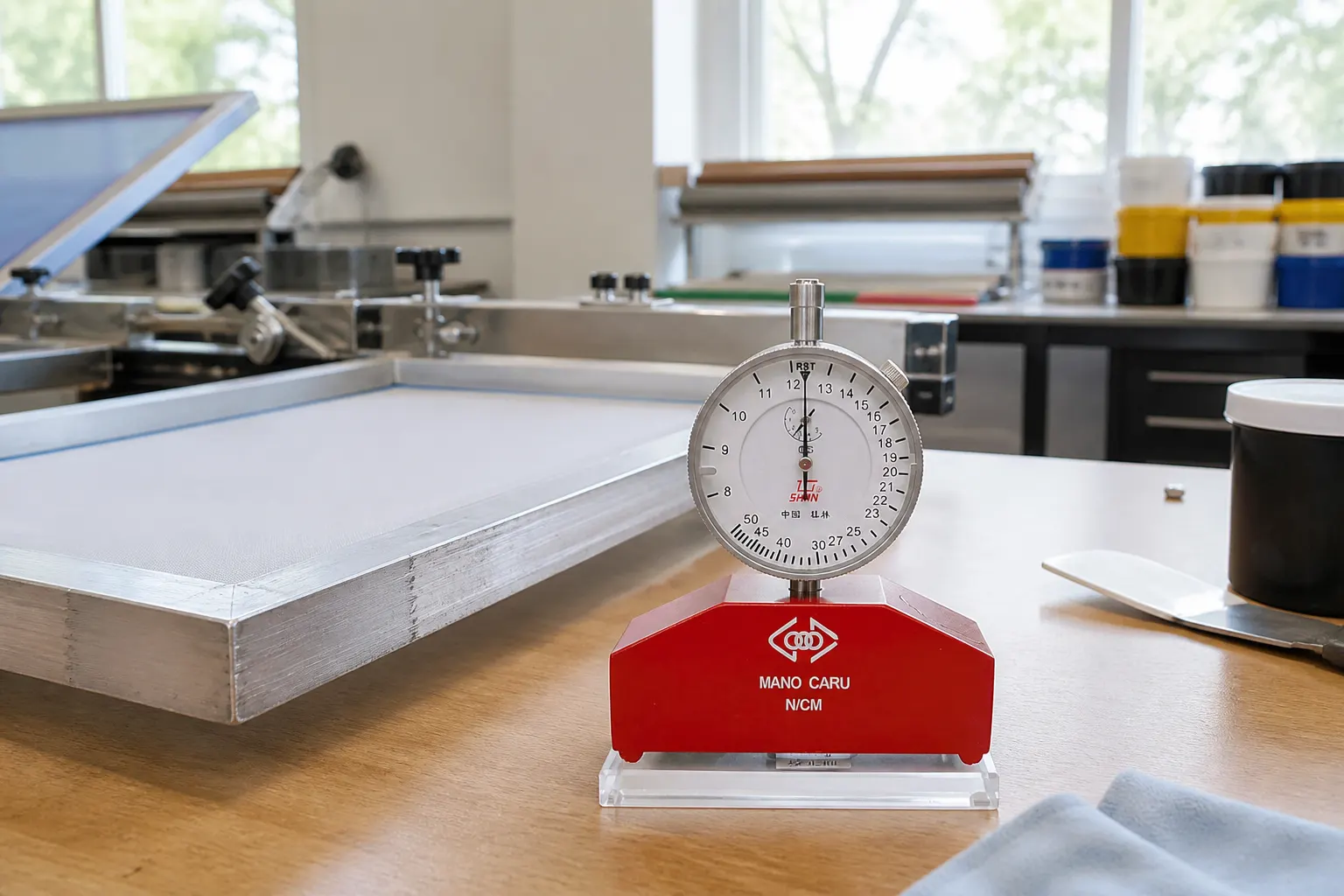
Short answer: On a UK screen-room bench, start with the job in front of you. The SHAN meter is a mechanical pointer gauge with an 8–50 N/cm dial, and the red base is marked N/cm. Lay the frame flat, rest the meter on the mesh, tap beside the foot, and read the pointer once it settles. Check the four corners and the centre, then turn the meter for the other direction. Keep the lower figure in the screen log. The dial is printed SHAN, Guilin, China. There is no battery to charge.
Write the UK purchasing requirement
A useful purchasing note states the screen-printing application, expected measurement span, unit convention, display preference and evidence required by the workshop. It prevents a category match from being mistaken for a complete technical match.
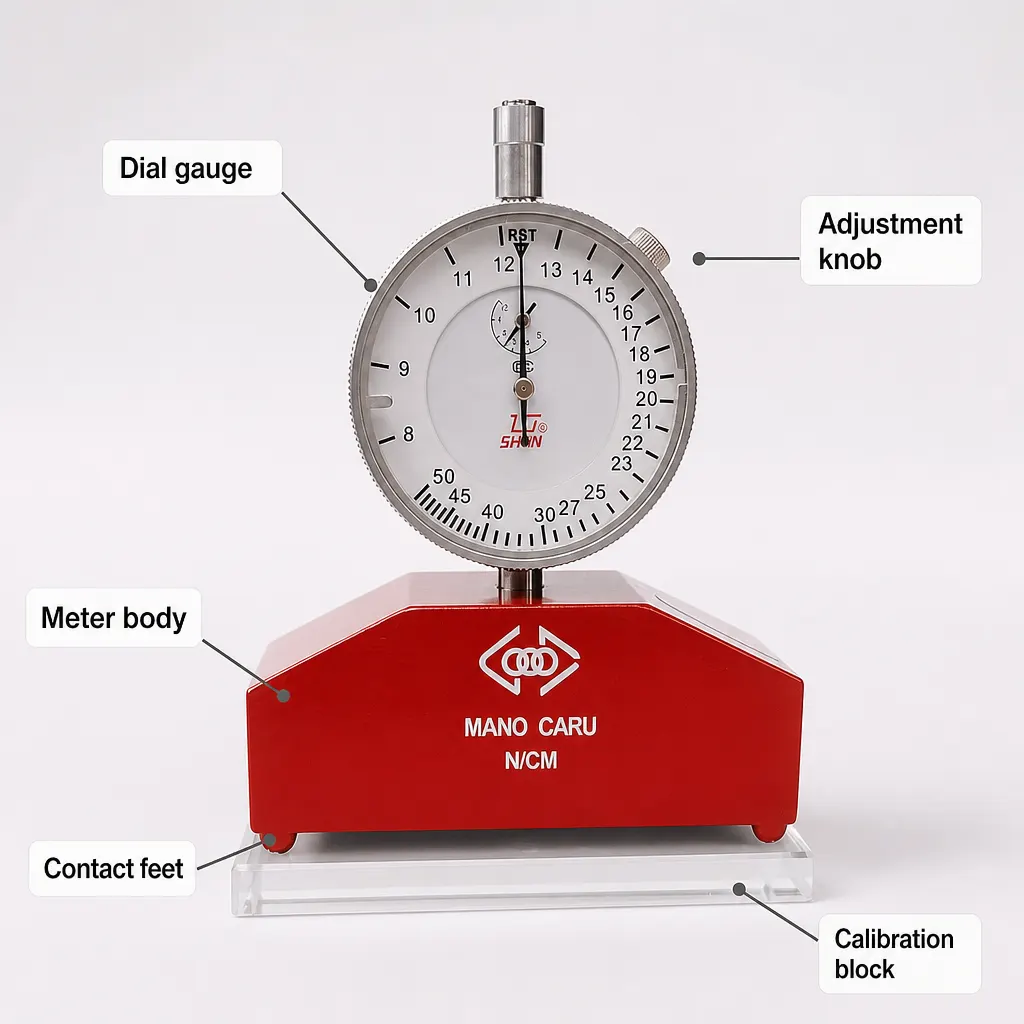
This meter is a pointer gauge for screen-printing mesh, with an 8–50 N/cm dial. Read warp, turn the meter, then read weft. Record both numbers and the lower one. That is the check you repeat before a job that has already been printed once. The white dial and red base sit on the mesh under their own weight, so you are not pressing a digital probe into the screen. Tap the mesh beside the foot so the pointer can settle, then write the figure next to the frame number.
- Screen-printing mesh application
- Expected values and units
- Analogue pointer acceptance
- Calibration or verification evidence required
Assess the analogue workflow
A pointer-style instrument requires the operator to read and record the display. Compare that manual workflow with the shop's existing screen IDs, logs and approval decisions.
This is a mechanical pointer gauge. You read the dial by eye and write the number in the screen log. There is no battery, memory or wireless link. That keeps the check short: frame number, warp, weft, and the lower figure. If the shop wants a photo of the dial for the job bag, take it with the phone you already use on the bench.
| Workflow need | LW listing |
|---|---|
| Pointer display | Specified |
| 8-50 N range | Specified |
| Digital records or connectivity | Pointer dial, read on the bench |
Set the verification gate
Stretching is only the first reading. Check the same frame again before a repeat job, because mesh eases after the first runs. Use the same corners and the centre each time, and turn the meter so warp and weft are both in the log. The SHAN dial gives you the number. Your screen log is what shows whether this frame still matches the last good print.
Compare today's reading with the last good print on the same frame. If the lower figure has dropped, re-tension or restretch before the job goes back on press. A glass calibration plate is a separate item and is not part of this meter, so the daily check is frame against frame, the same dial you used last time.
Match range, size and limitations
The dial you are buying runs from 8 to 50 N/cm. Set that against the mesh targets your shop already uses, and keep those targets in the screen log. A low reading on a repeat frame is a reason to re-tension, a reason to re-tension that frame before it is booked in again.
Choose this SHAN meter when you want a pointer reading in N/cm on silk screen mesh, from 8 to 50, with no battery to keep charged. Take warp and weft at the corners and the centre, and file the lower number with the frame. Steel stencil mesh is a different meter. This one is marked for silk screen.
Related guides and product details
Before you order, match the 8–50 N/cm dial to the mesh you actually print. Then read the related guides on repeat checks and on what to write in the screen log. The product page for the SHAN Screen Mesh Tension Meter, 8–50 N/cm shows the same dial, the same N/cm base, and the same bench routine. Walk the frame in the same order every time: top left, top right, bottom right, bottom left, then the centre. Call out the pointer to a second person if the room is noisy, and have them write N/cm next to the frame number before the screen leaves the bench. If warp and weft differ by more than your shop allows, turn the frame and stretch the slack direction before you coat. A repeat garment job that went soft last Thursday should meet the same lower figure before it is booked in again. Keep the meter off the washout chemicals and wipe the foot if mesh dust sits on it. The check takes about a minute once the order of spots is habit. Read Screen Mesh Tension Gauge for Screen Printing for related guidance. Read Screen Printing Mesh Tension Gauge: What to Verify for related guidance. Review the documented specification on the SHAN Screen Mesh Tension Meter, 8–50 N/cm product page before ordering.
Sources and safety context
- Supports the listed range, pointer format, brand, approximate size and undocumented specifications. SHAN screen mesh tension meter product page.
- Supports checking tension during stretching and subsequent stages without attributing SAATI specifications to the LW meter. SAATI: Mesh QC devices.